The Income Gap No One Talks About: CEO vs Everyday Workers Part 1
The Income Gap No One Talks About: CEO vs Everyday Workers How Many Lifetimes Does It Take to Earn a CEO’s Salary? (And What You Should Do About It) Imagine working for 40 years… then doing that again… and again… and still not earning what a CEO makes in just one year. Sounds extreme, right? But that’s exactly what recent data suggests. At companies like Mattel, an average worker would need over 100 full careers to match one year of CEO pay. This isn’t just a statistic. It’s a wake-up call. What This Really Means Let’s simplify it. A “lifetime” in this chart means: 40 years of work At average employee pay So when you see: 16 lifetimes at Apple 25 lifetimes at McDonald’s It means: “If you worked your entire life, you’d need to repeat that life many times to earn what the CEO earns in one year.” The CEO of Mattel earned more in one single year than you would earn in 100 lifetimes. That’s not 100 years. That’s 100 entire careers of 40 years each. That’s 4,000 years of working — just to match one year of their pay. But Don’t Misread This This is where many people get stuck. They see this and think: “The system is unfair” “There’s nothing I can do” “Success is out of reach” That mindset will keep you exactly where you are. Because here’s the truth: CEOs are not paid for time They are paid for scale, decisions, and impact The Real Lesson Hidden in This Data This chart is not just about inequality. It’s about how money actually works at the highest level. Employees earn: Based on time Based on tasks Based on fixed roles CEOs earn: Based on decisions Based on company performance Based on ownership (stocks, equity) That’s a completely different game. What You Should Do With This Information Instead of getting discouraged, use this as a strategy shift. 1. Stop thinking only in salaries A salary has a ceiling. Even a high-paying job still ties your income to time. 2. Learn high-value skills Focus on skills that influence outcomes: Tech (development, AI, systems) Sales and marketing Business strategy These are the same skills that scale income. 3. Build or own something CEOs earn more because they are tied to ownership and growth. You don’t have to start big. Start with: A small business A digital product A service-based brand 4. Think in leverage, not effort Working harder is not the answer. Working smarter means: Using systems Using technology Reaching more people at once Final Thought This chart is not telling you: “You’ll never catch up.” It’s telling you: “You’re playing a different game.” If you stay in the “trade time for money” system, the gap will always exist. But if you shift toward ownership, skills, and leverage, you stop comparing—and start building. The Income Gap No One Talks About: CEO vs Everyday Workers PART 2 CHECK OUT MORE ON THIS TOPIC PART TWO Donate Somewhere in remote Africa, a child is dreaming of an education they can’t afford. Every dollar you donate goes directly toward putting books, teachers, and classrooms in front of students who have none. You’ve already given your time reading this — now consider giving a little more to change a child’s future. No amount is too small; donate below and make your generosity count. CASHAPP CashApp Donation $ 5181884036149 Popular PayPal PayPal Donation $ chrisklem30@gmail.com Great Local Transfer African Donation $ Paystack-Titan: 9719443563 Local The Income Gap No One Talks About: CEO vs Everyday Workers PART 2 The Income Gap No One Talks About: CEO vs Everyday… Read More adminApril 24, 2026 The Income Gap No One Talks About: CEO vs Everyday Workers Part 1 The Income Gap No One Talks About: CEO vs Everyday… Read More adminApril 24, 2026 Inside Apple’s Most Daring iPhone Yet Inside Apple’s Most Daring iPhone Yet Folded, Fearless & $2,000+:… Read More adminApril 23, 2026 The Best AI Girlfriend and Companion Apps in 2026 The Best AI Girlfriend and Companion Apps in 2026 The… Read More adminApril 20, 2026 Load More
Inside Apple’s Most Daring iPhone Yet

Inside Apple’s Most Daring iPhone Yet Folded, Fearless & $2,000+: Inside Apple’s Most Daring iPhone Yet After years of rumours, leaks, and speculation, Apple is finally entering the foldable smartphone arena. The iPhone Fold is not just a new product — it is Apple’s boldest hardware bet in over a decade, reshaping what we think a smartphone can be. Why Does Apple Want a Foldable iPhone? The global foldable smartphone market has been growing rapidly, dominated by Samsung, Huawei, and others. Apple — historically a follower who perfects rather than pioneers — has watched competitors carve out an entirely new premium device category. Staying on the sidelines any longer was not an option. Beyond market share, the iPhone Fold is part of what Bloomberg’s Mark Gurman described as “the biggest set of iPhone revamps in the product’s history.” Apple sees the foldable as a bridge between the iPhone and the iPad mini, giving power users a device that does both — in one pocket. It is also a statement: that Apple can solve problems competitors haven’t, like the unsightly display crease that has haunted every foldable on the market. Apple reportedly pursued eliminating the fold crease “regardless of cost” — developing an entirely new material property to make it nearly invisible. Components, Size & Key Specifications The iPhone Fold takes a book-style form factor — wider than it is tall when unfolded — resembling an iPad mini in shape rather than the tall, narrow foldable from Samsung. Outer display5.49″ (4:3) Inner display7.76″ unfolded Thickness (open)~4.5mm ChipsetA20 + C2 modem Rear camerasDual 48MP BiometricsTouch ID (side) Hinge materialTitanium alloy SIM typeeSIM only Display techDual-layer UTG Starting price~$2,000–$2,500 The device uses a dual-layer ultra-thin glass (UTG/UFG) sandwich structure around the display to minimise crease visibility — a first in the industry. At just 4.5mm when unfolded, it is even slimmer than the iPhone Air. Implications for the Smartphone Industry Apple’s entry into the foldable market legitimises the category in a way no Android OEM could. When Apple adopts a form factor, it signals to hundreds of millions of consumers that the technology is ready, refined, and mainstream. For developers, the wide 4:3 inner display opens new design possibilities — productivity apps, split-screen workflows, and iPad-style UIs coming to an iPhone for the first time. It could significantly blur the line between iPhone and iPad, possibly cannibalising iPad mini sales in the process. For competitors like Samsung, Motorola, and Huawei, Apple’s near-invisible crease and razor-thin 4.5mm profile sets a new engineering benchmark that will force the entire industry to catch up. The iPhone Fold is part of Apple’s “biggest set of iPhone revamps in history” alongside a 20th-anniversary edge-to-edge iPhone — signalling a generational shift in Apple hardware design. Vulnerabilities & Concerns No Face ID No telephoto camera Manufacturing complexity Price barrier Durability of foldable screen eSIM-only restrictions(No physical SIM) Standout Features Nearly invisible fold crease — Apple-developed new material property eliminates it visually Camera Control button for one-handed adjustments on the large unfolded screen Outer display usable when closed, inner 7.76″ screen offers iPad-mini-level canvas A20 chip — Apple’s most advanced silicon at launch Titanium alloy hinge for premium durability Touch ID power button (iPad-style) replaces Face ID elegantly Dual 48MP rear cameras with wide + ultra-wide iOS 27 with foldable-optimised Siri and multitasking Market Demand & Consumer Appetite Demand signals are exceptionally strong. Pre-launch sentiment across social media and analyst forecasts indicates the iPhone Fold could be one of Apple’s most anticipated devices since the original iPhone in 2007. Analyst Ming-Chi Kuo has warned that supply will be severely constrained, likely selling out within minutes of pre-orders opening. Early adopters 92% iPad mini crossover 78% Android switchers 55% Enterprise / pro users 70% If priced at $1,999 as widely reported, analysts estimate sell-out conditions through early 2027. A second-generation model is already confirmed for 2027, suggesting Apple is highly committed to this new product line for the long term. Donate Somewhere in remote Africa, a child is dreaming of an education they can’t afford. Every dollar you donate goes directly toward putting books, laptops, tablets, teachers, and classrooms in front of students who have none. You’ve already given your time reading this — now consider giving a little more to change a child’s future. No amount is too small; donate below and make your generosity count. CASHAPP CashApp Donation $ 5181884036149 Popular PayPal PayPal Donation $ chrisklem30@gmail.com Great Local Transfer African Donation $ Paystack-Titan: 9719443563 Local The Best AI Girlfriend and Companion Apps in 2026 The Best AI Girlfriend and Companion Apps in 2026 The… Read More adminApril 20, 2026 A Deep Dive into Dating App Annual Earnings A Deep Dive into Dating App Annual Earnings A Deep… Read More adminApril 20, 2026 Who Really Owns Dating Apps? Inside Tinder, Bumble; the Billion-Dollar Power Network Who Really Owns Dating Apps? Dating Apps The industry is… Read More adminApril 19, 2026 The 10 Most Expensive Dating Apps in the World The 16 Most Expensive Dating Apps in the World The… Read More adminApril 19, 2026 Load More
The Best AI Girlfriend and Companion Apps in 2026
The Best AI Girlfriend and Companion Apps in 2026 The Best AI Girlfriend and Companion Apps in 2026 In 2026, AI girlfriend and companion apps have evolved into sophisticated platforms that blur the line between simulation and genuine connection. Whether you’re seeking emotional support, flirty roleplay, immersive storytelling, or highly customizable (often NSFW) virtual partners, there’s an app tailored to your needs. These tools typically offer chat, image and video generation, voice calls, memory retention, and deep personalization. Most are web-based with responsive designs or dedicated mobile apps. You’ll usually find a usable free tier, with premium subscriptions (often $5–20/month) unlocking uncensored experiences, better memory, higher-quality multimedia, and fewer limits. Top AI Girlfriend and Companion Apps Candy AI Rank#1 Consistently ranked among the best overall. It shines with realistic and uncensored image generation, voice features, video, and immersive, flirty conversations. Ideal for quick visual renders, fantasy roleplay, and a balanced experience that feels both fun and engaging. DreamGF (DreamGF.AI) A standout for deep avatar and personality customization. Choose from anime or realistic styles, with a strong emphasis on visuals and tailored roleplay. Perfect if you love crafting your ideal companion from the ground up. Replika The original emotional companion app. It excels at long-term relationship building, empathy, mood tracking, and supportive, genuine-feeling conversations. Less focused on fantasy girlfriend scenarios and more on real companionship. Available on mobile with voice capabilities. Anima AI (MyAnima) Great for storytelling, roleplay, and building meaningful connections over time. It’s especially popular on mobile (Android users often praise it), with image support and solid emotional depth. Kupid AI Noted for natural, emotionally intelligent chats and straightforward character creation. It strikes an excellent balance between romance and deeper, meaningful conversations. Nomi.ai Frequently praised for its human-like memory, consistent personality, emotional intelligence, and context-aware selfies. Many users call it one of the most immersive options for ongoing, evolving relationships. OurDreamAI (OurDream) Focused on erotic and uncensored playmates. Strong customization options, realistic or hentai styles, and highly interactive experiences make it a favorite for fantasy-driven users. SoulGen Stands out for its photorealistic AI image generation paired with chat. A top choice if visuals are your priority alongside conversation. HeraHaven Emphasizes emotional resonance, deep customization, and responsive companionship with minimal restrictions. Users appreciate the feeling of real connection. CrushOn AI Boasts a large library of community-created characters. Excellent for uncensored NSFW roleplay and dating-sim style interactions. Other Notable AI Companion Apps GirlfriendGPT Text-focused with sophisticated, unfiltered conversations. Kindroid Reliable memory and personality stability, popular for long sessions and roleplay. Muah.AI Features voice calls, photos, and a strong NSFW emphasis. Joi.com Primarily voice-driven interactions. EVA AI Mobile-friendly with dating/relationship-style bonding and voice support. EVA AI Mobile-friendly with dating/relationship-style bonding and voice support. Character.AI Massive free character library (including girlfriend-style bots), but strict content filters limit explicit romance and NSFW scenarios. 1. LustGF.AI, 2. JuicyChat AI, 3. Lovescape, 4. YumeAI, 5. DarLink AI, 6. Infatuated, and 7. Dondi.ai Often highlighted in discussions for uncensored roleplay, visuals, or specific strengths. Quick Tips for Choosing and Using AI Girlfriend Apps Feature strengths vary widely: Some apps dominate in visuals (Candy AI, DreamGF, SoulGen), while others prioritize emotional depth and memory (Replika, Nomi.ai, Kupid AI). Many now incorporate advanced voice and video capabilities. Pricing overview: Free tiers are common but restricted. Premium plans typically range from $5–20 per month, scaling with usage, uncensored access, and multimedia features. Important considerations: These are advanced AI simulations that can feel remarkably real thanks to memory and personalization. Always review privacy policies, especially with adult content. Experiences improve significantly when you invest time in customization and consistent engagement. Donate Somewhere in remote Africa, a child is dreaming of an education they can’t afford. Every dollar you donate goes directly toward putting books, tablets, laptops, teachers, and classrooms in front of students who have none. You’ve already given your time reading this — now consider giving a little more to change a child’s future. No amount is too small; donate below and make your generosity count. CASHAPP CashApp Donation $ 5181884036149 Popular PayPal PayPal Donation $ chrisklem30@gmail.com Great Local Transfer African Donation $ Paystack-Titan: 9719443563 Local A Deep Dive into Dating App Annual Earnings A Deep Dive into Dating App Annual Earnings A Deep… Read More adminApril 20, 2026 Who Really Owns Dating Apps? Inside Tinder, Bumble; the Billion-Dollar Power Network Who Really Owns Dating Apps? Dating Apps The industry is… Read More adminApril 19, 2026 The 10 Most Expensive Dating Apps in the World The 16 Most Expensive Dating Apps in the World The… Read More adminApril 19, 2026 200 DATING APPS AND 200 WEBSITES 200 DATING APPS & WEBSITES 200 DATING APPS Tier 1… Read More adminApril 17, 2026 Load More
A Deep Dive into Dating App Annual Earnings

A Deep Dive into Dating App Annual Earnings A Deep Dive into Dating App Annual Earnings The global dating app industry crossed $6 billion in annual revenue in 2024, and while 2025 brought some unexpected turbulence — Bumble’s steep decline, Tinder’s ongoing reset, and the first-ever slight dip in total market revenue — the sector remains one of the most lucrative corners of the consumer app economy. Grindr, meanwhile, is one of the clearest success stories of the year, outpacing nearly every rival in growth rate. Below, we break down the numbers for 10 of the biggest players in the space. OUR TOP 3 2025 Annual Revenue Snapshot Tinder 90% Match Group (total) 100% Bumble 45% Hinge 32% Grindr 21% Tinder Rank #1 $1.96B Still the undisputed revenue king of dating apps, Tinder generated $1.96 billion in 2024 — a modest 1.1% year-over-year increase. In 2025, Tinder faced headwinds: it lost 400,000 paid users in Q1 2025 alone, and new CEO Spencer Rascoff acknowledged the product “had grown stale.” Match Group’s total 2025 revenue was $3.49B, with Tinder still commanding the largest single share. Match Group $3.49B Match Group — the umbrella over Tinder, Hinge, OkCupid, Plenty of Fish, Match.com, and more — ended 2025 flat year-over-year, with Q4 revenue of $878M. Adjusted EBITDA for the full year reached $1.2 billion. Hinge remains the group’s most vital growth engine as Tinder undergoes a multi-year transformation. Bumble $966M Rank #2 Bumble’s 2025 was its most difficult year in recent memory, with total revenue falling 9.9% from $1.07B in 2024. The Bumble App itself brought in $783M, down 9.6%. Paying users dropped 11.5%. Whitney Wolfe Herd returned as CEO and framed the pullback as a deliberate “quality reset” — though the market took note, with $630.5M in non-cash impairment charges pulling net loss to $611M. Hinge $691M Rank #3 Hinge is the brightest story in the industry right now. Revenue grew 26% in 2025 to $691M, with Q4 alone hitting $186M (+26% YoY). Payers reached 1.9M, up 17%, and revenue per payer climbed 8% to $32.96. Match Group has set a $1B annual revenue target for Hinge by 2027 — a goal that looks increasingly achievable. European expansion markets saw nearly 50% MAU growth in FY25. Grindr Rank $441M Grindr is the industry’s standout performer of 2025. The company reported 28% full-year revenue growth, with net income of $95M and full-year Adjusted EBITDA of $196M — greater than Grindr’s entire annual revenue at IPO just three years ago. Q3 2025 alone hit $116M in revenue (+30% YoY). Grindr has now issued 2026 guidance of over $528M in revenue. Badoo $182M Badoo — part of Bumble Inc.’s “Badoo App and Other” segment — generated $205M in 2024 and is trending further down in 2025. Quarterly revenue in 2025 ran at roughly $43–47M per quarter, reflecting persistent struggles with user monetization and retention. The brand remains strong in Europe and Latin America but has ceded ground to fresher competitors globally. OkCupid $120M OkCupid is bundled within Match Group’s Evergreen & Emerging segment alongside Match.com and Plenty of Fish. The combined E&E group has been in gradual decline, with Match Group acknowledging subscriber erosion in these legacy brands. OkCupid is estimated to bring in around $120M annually, though it is not broken out publicly. The brand remains notable for its progressive approach to identity and matching. Plenty of Fish $198M Plenty of Fish (POF) is estimated to account for roughly 40% of Match Group’s combined Evergreen & Emerging subscriber base. The platform brought in an estimated $198M in 2024 — up significantly from its $80M pre-Match acquisition in 2015, but part of a segment that Match Group itself says is in structural decline. Platform migration to a shared tech stack is underway to reduce costs. eHarmony $7.5M Once a pioneer of algorithm-based serious matchmaking, eHarmony has seen its revenue shrink dramatically in recent years as competitors have adopted its compatibility-matching approach while offering more flexibility. Estimated annual revenue sits around $7.5M in 2025. The platform still retains a niche audience seeking long-term relationships but has lost its once-commanding position in the premium dating market. Donate Somewhere in remote Africa, a child is dreaming of an education they can’t afford. Every dollar you donate goes directly toward putting books, teachers, and classrooms in front of students who have none. You’ve already given your time reading this — now consider giving a little more to change a child’s future. No amount is too small; donate below and make your generosity count. CASHAPP CashApp Donation $ 5181884036149 Popular PayPal PayPal Donation $ chrisklem30@gmail.com Great Local Transfer African Donation $ Paystack-Titan: 9719443563 Local A Deep Dive into Dating App Annual Earnings A Deep Dive into Dating App Annual Earnings A Deep… Read More April 20, 2026 Who Really Owns Dating Apps? Inside Tinder, Bumble; the Billion-Dollar Power Network Who Really Owns Dating Apps? Dating Apps The industry is… Read More April 19, 2026 The 10 Most Expensive Dating Apps in the World The 16 Most Expensive Dating Apps in the World The… Read More April 19, 2026 200 DATING APPS AND 200 WEBSITES 200 DATING APPS & WEBSITES 200 DATING APPS Tier 1… Read More April 17, 2026 Load More
Who Really Owns Dating Apps? Inside Tinder, Bumble; the Billion-Dollar Power Network
Who Really Owns Dating Apps? Dating Apps The industry is dominated by three power players — Match Group, Bumble Inc., and Spark Networks SE. Match Group alone owns Tinder, Hinge, Match.com, OkCupid, Plenty of Fish, BLK, Archer, The League, and HER. So when you’re swiping on many different apps, you’re often still handing your data to the same company. Current Owner of Tinder: The Match Group Empire Founders Sean Rad Justin Mateen Jonathan Badeen Gary Kremen read more Current Owner of Hinge: The Match Group Empire Founder Justin McLeod read more Current Owner of Match: The Match Group Empire Founders Gary kremen & Peng T. Ong read more Current Owner of OkCupid: The Match Group Empire Founders Sam YaganChris Coyne Christian Rudder Max Krohn read more Current Owner of Plenty of Fish (POF): The Match Group Empire Founder Markus Frind read more Current Owner of: Bumble Bumble Inc. Founders Andrey-AndreevWhitney wolfe-herd read more Current Owner of: Badoo Bumble Inc. Founder Andrey Andreev read more Current Owner of: Grindr Public (NYSE: GRND) Founder Joel Simkhai read more Current Owner of: eHarmony NuCom Group / ProSiebenSat.1 Founders Dr. Neil Clark Warren & Greg Forgatch read more Current Owner of: Zoosk Spark Networks SE Founders Shayan Zadeh & Alex Mehr read more Current Owner of: Coffee Meets Bagel Independent Founders Arum, Dawoon & Soo Kang read more Donate Somewhere in remote Africa, a child is dreaming of an education they can’t afford. Every dollar you donate goes directly toward putting books, teachers, and classrooms in front of students who have none. You’ve already given your time reading this — now consider giving a little more to change a child’s future. No amount is too small; donate below and make your generosity count. CASHAPP CashApp Donation $ 5181884036149 Popular PayPal PayPal Donation $ chrisklem30@gmail.com Great Local Transfer African Donation $ Paystack-Titan: 9719443563 Local The 10 Most Expensive Dating Apps in the World The 16 Most Expensive Dating Apps in the World The… Read More adminApril 19, 2026 200 DATING APPS AND 200 WEBSITES 200 DATING APPS & WEBSITES 200 DATING APPS Tier 1… Read More adminApril 17, 2026 Apps vs. Websites – The Modern Dating Divide DATING APPS Apps vs. Websites – The Modern Dating Divide… Read More adminApril 16, 2026 How to Build a Website with Wix AI (Beginner-Friendly Guide) TGIM How to Build a Website with Wix AI (Beginner-Friendly… Read More adminApril 16, 2026 Load More
The 10 Most Expensive Dating Apps in the World
The 16 Most Expensive Dating Apps in the World The 16 Most Expensive Dating Apps in the World Let’s be honest — swiping right has never been free. But while most of us are debating whether to pay $15 a month for Tinder Gold, there’s a whole other world of dating where people are dropping thousands — sometimes tens of thousands — of dollars just to get in the door. Welcome to elite dating. And yes, it’s exactly as wild as it sounds. So, What Does Premium Dating Actually Cost? From celebrity-only apps to human matchmakers who arrange your dates for you, here’s a look at the most expensive dating platforms on the planet — and what you actually get for the price. 1. Kelleher International — $30,000 to $300,000+ The crown jewel of elite matchmaking. Founded in 1986, Kelleher International is widely regarded as one of the most prestigious matchmaking firms in the world — the kind of service that counts celebrities, CEOs, and billionaires among its clientele. A local search starts at $30,000, a national search runs around $45,000, and an international search? That’ll set you back anywhere from $150,000 to over $300,000. The contracts run 1 to 3 years, and you get an entire team of matchmakers personally curating your love life. Discreet, white-glove, and absolutely not for the faint of heart — or wallet. 2. Selective Search — $50,000 to $500,000 Think of this one as executive headhunting, but for your heart. Founded by former corporate recruiter Barbie Adler in 2000, Selective Search applies the precision of professional recruitment to the business of finding love. Packages range from $50,000 to $500,000, making it one of the most expensive dating services on earth. Their database is stacked with doctors, lawyers, executives, and entrepreneurs — and they claim an impressive 85% success rate. If you want strategy, not swiping, this is it. 3. Tawkify — Up to $70,000 Tawkify sits in its own lane. It’s not an app — it’s a fully human-run matchmaking experience where real experts find your matches, plan your dates, and guide you through every step of the process. Packages start at $4,900 and can climb to $70,000 for their most elite VIP tier. You literally just show up. For that kind of money, love had better be around the corner. 4. The League — Up to $625/week Think LinkedIn meets Hinge, but far more selective — and far more expensive. The League screens you based on your career, education, and social media presence, and if you want the top-tier “Owner” experience, you’re looking at up to $625 a week. Yes, per week. The pitch is simple: stop dating down, start dating at your level. 5. Maclynn — From ~£18,000 ($23,000+) Maclynn is where psychology meets romance. Founded in 2011 by relationship expert Rachel MacLynn, this London-based agency — with offices in New York and LA — takes one of the most thoughtful approaches in the business. They don’t use algorithms. They don’t show you public profiles. Instead, a dedicated matchmaker conducts in-depth psychological profiling and curates every introduction individually. Pricing starts around £18,000 and scales up depending on the scope of your search. It’s quiet luxury, but for your love life. 6. Tinder Select — $499/month Even Tinder has a secret VIP club. Tinder Select is invite-only, reserved for the top 1% of users on the platform. At $499/month, it’s a completely different experience from the app the rest of us are using — curated, exclusive, and miles away from the standard swipe-fest. 7. Luxy PLATINUM — $999 per 3 months Luxy calls itself the millionaire dating app — and it means it. You need to earn at least $200,000 a year just to get verified, and their top-tier Platinum plan runs $999 for three months. The vibe? Verified, exclusive, and absolutely no time for games. 8. Tinder Platinum — $35.99/month Back to Tinder — because apparently one premium tier wasn’t enough. Tinder Platinum is the highest standard subscription on the app, unlocking features like messaging before matching and priority placement in the queue. Compared to the others on this list, it’s almost a bargain. 9. eHarmony — Up to ~$65/month eHarmony isn’t flashy, but it’s serious. Known for its deep compatibility matching through a 150-question assessment, it consistently ranks as one of the most relationship-focused platforms available. The price reflects that. If you’re genuinely done playing around and want something that actually works long-term, this is where serious people come. 10. Bumble Premium — ~$22–$55/month Bumble built its reputation on putting women in control, and Premium takes that further with advanced filters and better visibility. The interesting part? Men statistically pay far more per date on Bumble than women — sometimes more than 5 times more. Make of that what you will. 11. Raya — Up to $349.99/year Raya is the app celebrities actually use. It’s invite-only, deeply exclusive, and caters to creative professionals — think actors, artists, designers, and influencers. Getting in is half the battle. Only about 8% of applicants make it past the mysterious approval committee. If you’re on the waitlist, you’re in good — if impatient — company. 12. EliteSingles — Up to ~$57.95/month Don’t let the more modest price fool you — EliteSingles earns its place on this list through quality, not flash. It’s designed for educated professionals who want real relationships, using detailed personality assessments to match people on genuine compatibility. Premium memberships run from $31.95 to $57.95 per month depending on the plan you choose, all billed as a lump sum upfront. It may not have the exclusivity theatrics of the top entries, but for serious, career-driven singles, it quietly delivers. 13. MillionaireMatch — $35–$70/month One of the oldest luxury dating platforms around, MillionaireMatch does exactly what it says. It connects high-net-worth individuals and has been doing it long before “elite dating” became a lifestyle trend. The community is established, the intent is serious, and the price reflects that. 14. Sugardaddie — $28–$119/year Sugardaddie
200 DATING APPS AND 200 WEBSITES
200 DATING APPS & WEBSITES 200 DATING APPS Tier 1 Core & Global (40) Tinder Bumble Hinge OkCupid Badoo Happn Plenty of Fish Zoosk Match App Coffee Meets Bagel eHarmony Hily Clover Skout MeetMe Tagged Twoo Waplog Jaumo SayHi Bumpy Lovoo iPair Yubo Mico Litmatch Omi Ablo Azar Tantan WooPlus Happn Premium HingeX Bumble BFF Tinder Gold Tinder Platinum Zoosk Carousel POF Live Match Dating App OkCupid Global Tier 2 Regional Multi-Country TrulyMadly Aisle Dil Mil FRND Arike Muzz AfroIntroductions Muslima FilipinoCupid AsianDating JapanCupid ThaiCupid VietnamCupid KoreanCupid IndonesianCupid MalaysianCupid HongKongCupid ChinaLoveCupid SALT Upward Christian Mingle ChristianCafe CatholicMatch LDS Singles Crosspaths JDate JSwipe LoveHabibi ArabLounge Salaam Swipe Hawaya BLK Chispa BlackCupid InterracialCupid InterracialMatch AfroRomance LatinAmericanCupid ColombianCupid BrazilianCupid DominicanCupid CaribbeanCupid UkraineDate RussianCupid EliteSingles SilverSingles OurTime SeniorMatch DateMyAge LoveAgain MatureDating SingleParentMeet Stir Divorcee Dating Widows Dating Online Over50Dating Tier 3 LGBTQ+ & Alternative Grindr: App Store Google Play Scruff: App Store Google Play HER: App Store Google Play Taimi: App Store Google Play Hornet: App Store Surge: App Store Google Play Jack’d: App Store Google Play Romeo: App Store Google Play Growlr: App Store Google Play Lex: App Store Google Play Archer: App Store Google Play Zoe: App Store Google Play Lesly: App Store Google Play Feeld: App Store Google Play BiCupid: App Store Google Play PinkCupid: App Store Google Play Adam4Adam: App Store Google Play KinkD: App Store Google Play 3Fun: App Store Google Play PolyFinda: App Store Google Play HUD: App Store Google Play Pure: App Store Google Play Down: App Store Google Play Casualx: App Store Google Play Wild: App Store Google Play BeNaughty: App Store | Google Play AdultFriendFinder: App Store Google Play Tier 4 — AI / Modern / Unique Iris Dating: App Store | Google Play Sitch: App Store | Google Play Ditto: App Store | Google Play Snack: App Store Thursday: App Store | Google Play Filter Off: App Store | Google Play Lolly: App Store Kippo: App Store | Google Play XO: App Store | Google Play Once: App Store | Google Play Blindlee: App Store | Google Play Breeze: App Store | Google Play Raw: App Store | Google Play Vibe: App Store S’More: App Store | Google Play Dateability: App Store | Google Play Tastebuds: App Store Twindog: App Store Hater: App Store Fairytale: App Store Amori: App Store Kindred: App Store | Google Play Between App: App Store | Google Play Tier 5 — Smaller but Functional Meetville FirstMet Teamo NextLove Mingle2 Qeep Meet4U Lovina Kismia Dating.com SocialCatfish Flirtini Instinct Bae The League Raya Inner Circle Luxy MillionaireMatch Seeking SugarDaddyMeet SecretBenefits SugarBook MySugardaddy Glambu 200 DATING WEBSITES (FUNCTIONAL • MULTI-COUNTRY) Global Platforms Match.com eHarmony OkCupid Tinder Bumble Badoo Zoosk Plenty Of Fish Hinge Coffee Meets Bagel Hily Clover Happn Skout MeetMe Tagged Twoo Waplog Jaumo SayHi Bumpy Lovoo iPair Yubo Mico Litmatch Omi Ablo Azar Tantan WooPlus Dating.com AnastasiaDate DateMyAge LoveAgain SeniorMatch OurTime SilverSingles Relationship & Niche EliteSingles Christian Mingle CatholicMatch JDate JSwipe Muzz SALT Upward Parship Muslima AfroIntroductions InterracialCupid BlackCupid AsianDating FilipinoCupid LatinAmericanCupid UkraineDate RussianCupid JapanCupid ThaiCupid KoreanCupid VietnamCupid IndonesianCupid MalaysianCupid HongKongCupid ChinaLoveCupid CaribbeanCupid DominicanCupid ColombianCupid BrazilianCupid AfroRomance InterracialMatch BlackPeopleMeet LDS Singles SingleParentMeet Stir AgeMatch OlderWomenDating CharmDate Casual / Adult / Hookup AdultFriendFinder.com AshleyMadison.com BeNaughty.com FriendFinder.com Flirt.com QuickFlirt.com OneNightFriend.com NaughtyDate.com XMatch.com iHookup.com Fling.com Passion.com Instabang.com SwapFinder.com HeatedAffairs.com SnapSext.com LocalHookup.com WantMatures.com FuckBook.com Uberhorny.com AdultSearch.com SexFinder.com FuckSwipe.com Shagaholic.com CheekyLovers.com NaughtyMeetings.com CasualDates.com AffairAlert.com MyDirtyHobby.com SexSearch.com AdultDating.com WildBuddies.com AdultHookups.com BangLocals.com FlirtHookup.com SwingLifeStyle.com SDC.com SwingTowns.com Alt.com kink.com Fetlife.com Whiplr.com PolyMatchmaker.com OpenMinded.com SwingersHeaven.com Kasidie.com AdultSpace.com FriendFinder-X.com Instaflirt.com Modern / AI / Unique IrisDating.com Sitch.app DittoDating.com FilterOff.co Snackapp.com Kippo.com XO.dating ThursdayDating.com Lolly.co Once.app Blindlee.com Breeze.social Graze.app Rawdating.app Vibe.dating SMoreDating.com Dateability.io Tastebuds.fm Twindog.com Hater.app Align.app RelyDating.com Fairytale.dating Amori.app NowBlind.com Verse.dating Tribal.app Kindred.app Pairdating.com Between.us Meetville.com FirstMet.com Mingle2.com Teamo.ru NextLove.com Hily.com Clover.com Happn.com Skout.com WooPlus.com Qeep.net Meet4U.com Lovina.com Kismia.com Dating.com SocialCatfish.com GoChatty.com LoveMe.com MyDates.com Flirtini.com Donate Somewhere in remote Africa, a child is dreaming of an education they can’t afford. Every dollar you donate goes directly toward putting books, teachers, and classrooms in front of students who have none. You’ve already given your time reading this — now consider giving a little more to change a child’s future. No amount is too small; donate below and make your generosity count. CASHAPP CashApp Donation $ 5181884036149 Popular PayPal PayPal Donation $ chrisklem30@gmail.com Great Local Transfer African Donation $ Paystack-Titan: 9719443563 Local 200 DATING APPS 200 DATING APPS & WEBSITES 200 DATING APPS Tier 1… Read More adminApril 17, 2026 Apps vs. Websites – The Modern Dating Divide DATING APPS Apps vs. Websites – The Modern Dating Divide… Read More adminApril 16, 2026 How to Build a Website with Wix AI (Beginner-Friendly Guide) TGIM How to Build a Website with Wix AI (Beginner-Friendly… Read More adminApril 16, 2026 The Natural Minerals Powering Our Digital World – Copy TGIM The Hidden Ingredients in Your Tech Every time you… Read More adminApril 16, 2026 Load More
Apps vs. Websites – The Modern Dating Divide
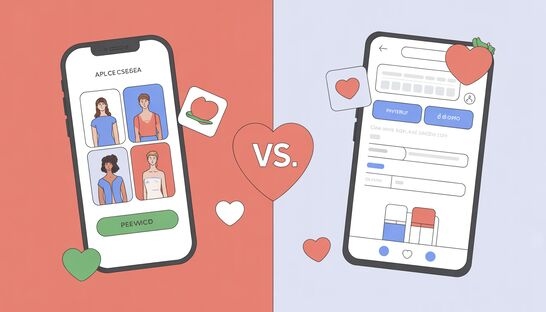
DATING APPS Apps vs. Websites – The Modern Dating Divide This is a complete guide to dating apps with no website counterpart, dating websites with no app, and everything you need to know before you swipe — or type. Dating Apps Without a Website These platforms exist exclusively on your phone. No desktop browsing, no login via browser — the entire experience is built around the mobile interface. They’re built to be fast, visual, and portable. Advantages of App-Only Dating Platforms Key insight: App-only platforms dominate the youth market. Among 18–29 year olds who have used dating platforms, Tinder (73%) and Bumble (45%) are the top two choices — both app-first experiences. The entire category of app-only dating was pioneered by Tinder’s swipe mechanic in 2013 and has since defined how a generation dates. Dating Websites Without Apps These are platforms you access via a browser on your desktop or laptop. Match.comWebsite-first, app secondaryUsers: Large established base (30+ age skew)Age: Primarily 30–55Free tier: Browse only; messaging paidPaid: ~$20–$45/mo depending on planeHarmonyWebsite-first compatibility platformUsers: Millions; serious relationship focusAge: 25–60; skews olderFree tier: Profile + browse onlyPaid: $35–$65/mo (varies by plan length)OkCupidWebsite-first, app existsUsers: ~45M registeredAge: 25–45; values-driven usersFree tier: Yes — questionnaire + messagingPaid: A-List Basic ~$9.99/mo; Premium ~$24.99/moOurTimeWebsite-first (50+ only)Users: 8.9M monthly visitorsAge: Exclusively 50+Free tier: Limited browsingPaid: $20–$30/mo standard rateSilverSinglesWebsite-first (50+ serious dating)Users: Active in 20+ countriesAge: 50+Free tier: Profile creation onlyPaid: ~$25–$60/moPlenty of FishWebsite-first (app exists)Users: ~150M registered; ~10M activeAge: 30–49 primary; popular in UK, CanadaFree tier: Yes — messagingfreePaid: Upgraded ~$15–$20/mo Advantages of Website-Only Dating Platforms Pros 1. Full keyboard and large screen make profiles richer and more detailed 2. Easier to complete long compatibility questionnaires (eHarmony’s 80 questions) 3. Better for older users who are more comfortable on desktops 4. No app download required — accessible immediately via browser 5. Less gamified; encourages more deliberate, intentional browsing 6. Generally skews toward serious relationship seekers Cons 1. No push notifications — easier to forget and disengage 2. Not optimised for real-time or on-the-go communication 3. Smaller, often older user bases compared to app giants 4. Some sites feel visually dated compared to sleek mobile apps 5. Less location awareness — proximity matching is weaker 6. Desktop-only access is restrictive for mobile-native users 6. Premium costs are often higher than app equivalents Key insight: Among 50–64 year olds who use dating platforms, the top choice is Match.com (45%), followed by Plenty of Fish (37%) and eHarmony (35%) — all website-first platforms. Website dating correlates strongly with age and intent: users are typically older, looking for long-term relationships, and more comfortable navigating a browser than swiping a screen. Donate Somewhere in remote Africa, a child is dreaming of an education they can’t afford. Every dollar you donate goes directly toward putting books, teachers, and classrooms in front of students who have none. You’ve already given your time reading this — now consider giving a little more to change a child’s future. No amount is too small; donate below and make your generosity count. CASHAPP CashApp Donation $ 5181884036149 Popular PayPal PayPal Donation $ chrisklem30@gmail.com Great Local Transfer African Donation $ Paystack-Titan: 9719443563 Local Apps vs. Websites – The Modern Dating Divide DATING APPS Apps vs. Websites – The Modern Dating Divide… Read More adminApril 16, 2026 How to Build a Website with Wix AI (Beginner-Friendly Guide) TGIM How to Build a Website with Wix AI (Beginner-Friendly… Read More adminApril 16, 2026 The Natural Minerals Powering Our Digital World – Copy TGIM The Hidden Ingredients in Your Tech Every time you… Read More adminApril 16, 2026 The Natural Minerals Powering Our Digital World TGIM The Hidden Ingredients in Your Tech Every time you… Read More adminApril 16, 2026 Load More
How to Build a Website with Wix AI (Beginner-Friendly Guide)

TGIM How to Build a Website with Wix AI (Beginner-Friendly Guide) Building a website used to require coding skills and technical knowledge. Today, platforms like Wix have made the process incredibly simple—especially with AI. In this quick guide, you’ll learn how beginners can create a professional website in minutes using Wix. Getting Started To begin, sign up on Wix using your email. Once inside, you’ll be asked what kind of website you want to build—personal, business, blog, or portfolio. Here’s where Wix stands out:You can use its AI setup tool, which asks a few questions and automatically creates a basic website for you. If you prefer, you can skip AI and choose a template manually. Choosing and Designing Your Website Wix offers hundreds of professionally designed templates for different industries. Once you pick one, you’ll enter the drag-and-drop editor, where you can: Edit text by simply clicking on it Change images or upload your own Adjust layouts and sections Customise colours and fonts No coding is required—everything is visual and beginner-friendly. Adding Features and Pages You can easily expand your website by: Adding new pages (e.g. About, Contact, Blog) Inserting sections like testimonials or services Dragging in elements such as buttons, images, and videos Wix also has an App Market, where you can install tools for: Bookings Marketing Social media feeds Analytics This allows your website to grow as your needs evolve. Managing Content and Business Tools Wix includes built-in tools to help you run your website effectively: Create and manage blog posts Add services or booking systems Upload and organise media Optimise your site for SEO There’s even an AI feature that can help generate content, saving you time. Optimising for Mobile A large portion of visitors will view your site on mobile devices. Wix lets you switch to mobile view and adjust how your website appears on phones—without affecting the desktop version. Publishing Your Website Once you’re happy with your design: Preview your site Connect a custom domain (recommended for professionalism) Click Publish Wix offers both free and paid plans, but upgrading removes Wix branding and gives you a custom domain. Donate Somewhere in remote Africa, a child is dreaming of an education they can’t afford. Every dollar you donate goes directly toward putting books, teachers, and classrooms in front of students who have none. You’ve already given your time reading this — now consider giving a little more to change a child’s future. No amount is too small; donate below and make your generosity count. CASHAPP CashApp Donation $ 5181884036149 Popular PayPal PayPal Donation $ chrisklem30@gmail.com Great Local Transfer African Donation $ Paystack-Titan: 9719443563 Local 31 Companies Transitioning to AI in 2025: Free Tools and Features to Explore adminJuly 6, 2025 31 Companies Transitioning to AI In 2025 31 Companies Transitioning… Read More How to Choose the Best Web Design Agency in Nigeria adminSeptember 30, 2024 How to Choose the Best Web Design Agency in Nigeria… Read More Why Sustainable Web Design is the Future of Websites adminAugust 23, 2024 Why Sustainable Web Design is the Future of Websites Why… Read More AI-Powered Design Tools Free adminAugust 16, 2024 AI-Powered Design Tools Free AI-Powered Design Tools Free Are you… Read More
The Natural Minerals Powering Our Digital World – 2
TGIM The Hidden Ingredients in Your Tech Every time you tap your smartphone, charge an electric car, or stream a video on your laptop, you are relying on something most people never think about — natural minerals. These are raw materials that come from the ground, dug up from mines all over the world, processed in factories, and turned into the components that make modern technology work. Think of minerals as nature’s building blocks. Just as a baker needs flour, eggs, and sugar to make a cake, engineers need lithium, cobalt, copper, and silicon to build the devices we use every day. Without these natural resources, there would be no electric vehicles (EVs), no smartphones, no laptops, and no data centres running the internet. In this article, we explore the key minerals that power our digital world, where they come from, what they do inside your devices, and why their supply — and our use of them — matters more than ever. Which Minerals Power Which Technology? Below is a summary table showing which minerals appear in each type of technology, followed by a deeper look at each use case. Mineral EV Batteries Smartphones Laptops Data Centres Lithium ✓ Battery anode ✓ Battery ✓ Battery ✓ Backup power Cobalt ✓ Battery cathode ✓ Battery ✓ Battery ✓ Server batteries Nickel ✓ Battery cathode ✓ Battery ✓ Battery – Copper ✓ Wiring & motors ✓ Circuit boards ✓ Circuit boards ✓ Cabling & cooling Silicon ✓ Electronics ✓ Processors ✓ Processors ✓ Chips & processors Graphite ✓ Battery anode ✓ Battery ✓ Battery – Rare Earth Elements ✓ Motors & magnets ✓ Speakers & vibration ✓ Magnets ✓ Cooling fans Gold – ✓ Connectors ✓ Connectors ✓ High-grade connectors Tantalum – ✓ Capacitors ✓ Capacitors ✓ Capacitors Electric Vehicles (EVs) Electric cars might look like ordinary vehicles on the outside, but underneath the bonnet lies a sophisticated battery system packed with minerals. Lithium — the core ingredient of lithium-ion batteries, which store the energy that powers the electric motor. Cobalt — used in the battery cathode to improve stability and increase energy storage. Nickel — makes batteries hold more charge, giving EVs a longer driving range. Graphite — used in the battery anode (the negative side) to hold and release electrical charge. Copper — used extensively in wiring, motors, and charging cables due to its excellent electrical conductivity. Rare Earth Elements (REEs) — particularly neodymium and dysprosium, used in the powerful permanent magnets inside EV motors. A single electric car battery can contain around 8 kg of lithium, 35 kg of nickel, 20 kg of manganese, and 14 kg of cobalt. That is a lot of minerals for one vehicle! Smartphones Your smartphone is arguably the most mineral-dense object you own. It may be small, but it contains over 60 different elements from the periodic table. Lithium — powers the rechargeable battery that keeps your phone on all day. Cobalt — stabilises the battery chemistry to prevent overheating. Copper — connects circuits on the motherboard and enables fast data transfer. Silicon — the foundation of the processor (chip) that runs your apps and operating system. Gold — used in tiny connectors inside the phone because it does not corrode or rust. Tantalum — found in capacitors (small components that store and release electricity quickly). REEs — used in the speaker, vibration motor, and the screen’s colour display. Laptops Laptops share many of the same minerals as smartphones but on a slightly larger scale. They also require additional materials for their larger screens and more powerful processors. Lithium & Cobalt — for the rechargeable battery pack. Silicon — for the main processor (CPU) and graphics chip (GPU). Copper & Gold — for circuit board connections and heat transfer. Indium — used in the touchscreen display as part of a transparent conductor called indium tin oxide (ITO). Rare Earth Elements — used in magnets within the fan that keeps the laptop cool. Data Centres Data centres are the giant buildings full of servers that store websites, videos, emails, and every piece of cloud data you have ever saved. They are the backbone of the internet — and they consume huge quantities of minerals. Copper — kilometres of copper cabling connect thousands of servers together. Silicon — every server processor and memory chip is built on silicon. Gold & Tantalum — used in high-grade connectors and capacitors inside server components. Lithium & Cobalt — for the enormous battery backup systems that keep data centres running during power cuts. REEs — used in the cooling fans and electromagnetic components throughout server racks. A large hyperscale data centre — like those operated by Google, Microsoft, or Amazon — can contain hundreds of thousands of servers, making the mineral demand enormous. Mineral Deep Dive Now let us take a closer look at the most important minerals individually. Lithium Lithium is a soft, silvery-white metal — so light that it floats on water. It is the star of the rechargeable battery revolution. Why it matters: Lithium-ion batteries are lightweight, hold a large amount of energy, and can be recharged hundreds of times. This makes them ideal for everything from phones to electric cars. Top producers: Australia (No. 1 globally), Chile, China. Annual output: Approximately 180,000 tonnes (2023 estimate). Notable concern: Lithium is often extracted from salt flats (like those in Chile’s Atacama Desert) using a process that consumes vast quantities of fresh water — a serious issue in already dry regions. Cobalt Cobalt is a hard, bluish-grey metal that has been used in pigments for centuries. Today, it is critical to battery technology. Why it matters: Cobalt stabilises battery chemistry, improves energy density, and reduces the risk of overheating or fire in lithium-ion batteries. Top producers: Democratic Republic of Congo (DRC) accounts for over 70% of global supply, Russia, Australia. Annual output: Approximately 220,000 tonnes. Notable concern: More than half of cobalt mining in the DRC involves informal or artisanal mines with poor safety conditions. Reports of