Who Really Owns Dating Apps? Inside Tinder, Bumble; the Billion-Dollar Power Network

Who Really Owns Dating Apps? Dating Apps The industry is dominated by three power players — Match Group, Bumble Inc., and Spark Networks SE. Match Group alone owns Tinder, Hinge, Match.com, OkCupid, Plenty of Fish, BLK, Archer, The League, and HER. So when you’re swiping on many different apps, you’re often still handing your data to the same company. Current Owner of Tinder: The Match Group Empire Founders Sean Rad Justin Mateen Jonathan Badeen Gary Kremen read more Current Owner of Hinge: The Match Group Empire Founder Justin McLeod read more Current Owner of Match: The Match Group Empire Founders Gary kremen & Peng T. Ong read more Current Owner of OkCupid: The Match Group Empire Founders Sam YaganChris Coyne Christian Rudder Max Krohn read more Current Owner of Plenty of Fish (POF): The Match Group Empire Founder Markus Frind read more Current Owner of: Bumble Bumble Inc. Founders Andrey-AndreevWhitney wolfe-herd read more Current Owner of: Badoo Bumble Inc. Founder Andrey Andreev read more Current Owner of: Grindr Public (NYSE: GRND) Founder Joel Simkhai read more Current Owner of: eHarmony NuCom Group / ProSiebenSat.1 Founders Dr. Neil Clark Warren & Greg Forgatch read more Current Owner of: Zoosk Spark Networks SE Founders Shayan Zadeh & Alex Mehr read more Current Owner of: Coffee Meets Bagel Independent Founders Arum, Dawoon & Soo Kang read more Donate Somewhere in remote Africa, a child is dreaming of an education they can’t afford. Every dollar you donate goes directly toward putting books, teachers, and classrooms in front of students who have none. You’ve already given your time reading this — now consider giving a little more to change a child’s future. No amount is too small; donate below and make your generosity count. CASHAPP CashApp Donation $ 5181884036149 Popular PayPal PayPal Donation $ chrisklem30@gmail.com Great Local Transfer African Donation $ Paystack-Titan: 9719443563 Local The 10 Most Expensive Dating Apps in the World The 16 Most Expensive Dating Apps in the World The… Read More adminApril 19, 2026 200 DATING APPS AND 200 WEBSITES 200 DATING APPS & WEBSITES 200 DATING APPS Tier 1… Read More adminApril 17, 2026 Apps vs. Websites – The Modern Dating Divide DATING APPS Apps vs. Websites – The Modern Dating Divide… Read More adminApril 16, 2026 How to Build a Website with Wix AI (Beginner-Friendly Guide) TGIM How to Build a Website with Wix AI (Beginner-Friendly… Read More adminApril 16, 2026 Load More
The 10 Most Expensive Dating Apps in the World
The 16 Most Expensive Dating Apps in the World The 16 Most Expensive Dating Apps in the World Let’s be honest — swiping right has never been free. But while most of us are debating whether to pay $15 a month for Tinder Gold, there’s a whole other world of dating where people are dropping thousands — sometimes tens of thousands — of dollars just to get in the door. Welcome to elite dating. And yes, it’s exactly as wild as it sounds. So, What Does Premium Dating Actually Cost? From celebrity-only apps to human matchmakers who arrange your dates for you, here’s a look at the most expensive dating platforms on the planet — and what you actually get for the price. 1. Kelleher International — $30,000 to $300,000+ The crown jewel of elite matchmaking. Founded in 1986, Kelleher International is widely regarded as one of the most prestigious matchmaking firms in the world — the kind of service that counts celebrities, CEOs, and billionaires among its clientele. A local search starts at $30,000, a national search runs around $45,000, and an international search? That’ll set you back anywhere from $150,000 to over $300,000. The contracts run 1 to 3 years, and you get an entire team of matchmakers personally curating your love life. Discreet, white-glove, and absolutely not for the faint of heart — or wallet. 2. Selective Search — $50,000 to $500,000 Think of this one as executive headhunting, but for your heart. Founded by former corporate recruiter Barbie Adler in 2000, Selective Search applies the precision of professional recruitment to the business of finding love. Packages range from $50,000 to $500,000, making it one of the most expensive dating services on earth. Their database is stacked with doctors, lawyers, executives, and entrepreneurs — and they claim an impressive 85% success rate. If you want strategy, not swiping, this is it. 3. Tawkify — Up to $70,000 Tawkify sits in its own lane. It’s not an app — it’s a fully human-run matchmaking experience where real experts find your matches, plan your dates, and guide you through every step of the process. Packages start at $4,900 and can climb to $70,000 for their most elite VIP tier. You literally just show up. For that kind of money, love had better be around the corner. 4. The League — Up to $625/week Think LinkedIn meets Hinge, but far more selective — and far more expensive. The League screens you based on your career, education, and social media presence, and if you want the top-tier “Owner” experience, you’re looking at up to $625 a week. Yes, per week. The pitch is simple: stop dating down, start dating at your level. 5. Maclynn — From ~£18,000 ($23,000+) Maclynn is where psychology meets romance. Founded in 2011 by relationship expert Rachel MacLynn, this London-based agency — with offices in New York and LA — takes one of the most thoughtful approaches in the business. They don’t use algorithms. They don’t show you public profiles. Instead, a dedicated matchmaker conducts in-depth psychological profiling and curates every introduction individually. Pricing starts around £18,000 and scales up depending on the scope of your search. It’s quiet luxury, but for your love life. 6. Tinder Select — $499/month Even Tinder has a secret VIP club. Tinder Select is invite-only, reserved for the top 1% of users on the platform. At $499/month, it’s a completely different experience from the app the rest of us are using — curated, exclusive, and miles away from the standard swipe-fest. 7. Luxy PLATINUM — $999 per 3 months Luxy calls itself the millionaire dating app — and it means it. You need to earn at least $200,000 a year just to get verified, and their top-tier Platinum plan runs $999 for three months. The vibe? Verified, exclusive, and absolutely no time for games. 8. Tinder Platinum — $35.99/month Back to Tinder — because apparently one premium tier wasn’t enough. Tinder Platinum is the highest standard subscription on the app, unlocking features like messaging before matching and priority placement in the queue. Compared to the others on this list, it’s almost a bargain. 9. eHarmony — Up to ~$65/month eHarmony isn’t flashy, but it’s serious. Known for its deep compatibility matching through a 150-question assessment, it consistently ranks as one of the most relationship-focused platforms available. The price reflects that. If you’re genuinely done playing around and want something that actually works long-term, this is where serious people come. 10. Bumble Premium — ~$22–$55/month Bumble built its reputation on putting women in control, and Premium takes that further with advanced filters and better visibility. The interesting part? Men statistically pay far more per date on Bumble than women — sometimes more than 5 times more. Make of that what you will. 11. Raya — Up to $349.99/year Raya is the app celebrities actually use. It’s invite-only, deeply exclusive, and caters to creative professionals — think actors, artists, designers, and influencers. Getting in is half the battle. Only about 8% of applicants make it past the mysterious approval committee. If you’re on the waitlist, you’re in good — if impatient — company. 12. EliteSingles — Up to ~$57.95/month Don’t let the more modest price fool you — EliteSingles earns its place on this list through quality, not flash. It’s designed for educated professionals who want real relationships, using detailed personality assessments to match people on genuine compatibility. Premium memberships run from $31.95 to $57.95 per month depending on the plan you choose, all billed as a lump sum upfront. It may not have the exclusivity theatrics of the top entries, but for serious, career-driven singles, it quietly delivers. 13. MillionaireMatch — $35–$70/month One of the oldest luxury dating platforms around, MillionaireMatch does exactly what it says. It connects high-net-worth individuals and has been doing it long before “elite dating” became a lifestyle trend. The community is established, the intent is serious, and the price reflects that. 14. Sugardaddie — $28–$119/year Sugardaddie
200 DATING APPS AND 200 WEBSITES

200 DATING APPS & WEBSITES 200 DATING APPS Tier 1 Core & Global (40) Tinder Bumble Hinge OkCupid Badoo Happn Plenty of Fish Zoosk Match App Coffee Meets Bagel eHarmony Hily Clover Skout MeetMe Tagged Twoo Waplog Jaumo SayHi Bumpy Lovoo iPair Yubo Mico Litmatch Omi Ablo Azar Tantan WooPlus Happn Premium HingeX Bumble BFF Tinder Gold Tinder Platinum Zoosk Carousel POF Live Match Dating App OkCupid Global Tier 2 Regional Multi-Country TrulyMadly Aisle Dil Mil FRND Arike Muzz AfroIntroductions Muslima FilipinoCupid AsianDating JapanCupid ThaiCupid VietnamCupid KoreanCupid IndonesianCupid MalaysianCupid HongKongCupid ChinaLoveCupid SALT Upward Christian Mingle ChristianCafe CatholicMatch LDS Singles Crosspaths JDate JSwipe LoveHabibi ArabLounge Salaam Swipe Hawaya BLK Chispa BlackCupid InterracialCupid InterracialMatch AfroRomance LatinAmericanCupid ColombianCupid BrazilianCupid DominicanCupid CaribbeanCupid UkraineDate RussianCupid EliteSingles SilverSingles OurTime SeniorMatch DateMyAge LoveAgain MatureDating SingleParentMeet Stir Divorcee Dating Widows Dating Online Over50Dating Tier 3 LGBTQ+ & Alternative Grindr: App Store Google Play Scruff: App Store Google Play HER: App Store Google Play Taimi: App Store Google Play Hornet: App Store Surge: App Store Google Play Jack’d: App Store Google Play Romeo: App Store Google Play Growlr: App Store Google Play Lex: App Store Google Play Archer: App Store Google Play Zoe: App Store Google Play Lesly: App Store Google Play Feeld: App Store Google Play BiCupid: App Store Google Play PinkCupid: App Store Google Play Adam4Adam: App Store Google Play KinkD: App Store Google Play 3Fun: App Store Google Play PolyFinda: App Store Google Play HUD: App Store Google Play Pure: App Store Google Play Down: App Store Google Play Casualx: App Store Google Play Wild: App Store Google Play BeNaughty: App Store | Google Play AdultFriendFinder: App Store Google Play Tier 4 — AI / Modern / Unique Iris Dating: App Store | Google Play Sitch: App Store | Google Play Ditto: App Store | Google Play Snack: App Store Thursday: App Store | Google Play Filter Off: App Store | Google Play Lolly: App Store Kippo: App Store | Google Play XO: App Store | Google Play Once: App Store | Google Play Blindlee: App Store | Google Play Breeze: App Store | Google Play Raw: App Store | Google Play Vibe: App Store S’More: App Store | Google Play Dateability: App Store | Google Play Tastebuds: App Store Twindog: App Store Hater: App Store Fairytale: App Store Amori: App Store Kindred: App Store | Google Play Between App: App Store | Google Play Tier 5 — Smaller but Functional Meetville FirstMet Teamo NextLove Mingle2 Qeep Meet4U Lovina Kismia Dating.com SocialCatfish Flirtini Instinct Bae The League Raya Inner Circle Luxy MillionaireMatch Seeking SugarDaddyMeet SecretBenefits SugarBook MySugardaddy Glambu 200 DATING WEBSITES (FUNCTIONAL • MULTI-COUNTRY) Global Platforms Match.com eHarmony OkCupid Tinder Bumble Badoo Zoosk Plenty Of Fish Hinge Coffee Meets Bagel Hily Clover Happn Skout MeetMe Tagged Twoo Waplog Jaumo SayHi Bumpy Lovoo iPair Yubo Mico Litmatch Omi Ablo Azar Tantan WooPlus Dating.com AnastasiaDate DateMyAge LoveAgain SeniorMatch OurTime SilverSingles Relationship & Niche EliteSingles Christian Mingle CatholicMatch JDate JSwipe Muzz SALT Upward Parship Muslima AfroIntroductions InterracialCupid BlackCupid AsianDating FilipinoCupid LatinAmericanCupid UkraineDate RussianCupid JapanCupid ThaiCupid KoreanCupid VietnamCupid IndonesianCupid MalaysianCupid HongKongCupid ChinaLoveCupid CaribbeanCupid DominicanCupid ColombianCupid BrazilianCupid AfroRomance InterracialMatch BlackPeopleMeet LDS Singles SingleParentMeet Stir AgeMatch OlderWomenDating CharmDate Casual / Adult / Hookup AdultFriendFinder.com AshleyMadison.com BeNaughty.com FriendFinder.com Flirt.com QuickFlirt.com OneNightFriend.com NaughtyDate.com XMatch.com iHookup.com Fling.com Passion.com Instabang.com SwapFinder.com HeatedAffairs.com SnapSext.com LocalHookup.com WantMatures.com FuckBook.com Uberhorny.com AdultSearch.com SexFinder.com FuckSwipe.com Shagaholic.com CheekyLovers.com NaughtyMeetings.com CasualDates.com AffairAlert.com MyDirtyHobby.com SexSearch.com AdultDating.com WildBuddies.com AdultHookups.com BangLocals.com FlirtHookup.com SwingLifeStyle.com SDC.com SwingTowns.com Alt.com kink.com Fetlife.com Whiplr.com PolyMatchmaker.com OpenMinded.com SwingersHeaven.com Kasidie.com AdultSpace.com FriendFinder-X.com Instaflirt.com Modern / AI / Unique IrisDating.com Sitch.app DittoDating.com FilterOff.co Snackapp.com Kippo.com XO.dating ThursdayDating.com Lolly.co Once.app Blindlee.com Breeze.social Graze.app Rawdating.app Vibe.dating SMoreDating.com Dateability.io Tastebuds.fm Twindog.com Hater.app Align.app RelyDating.com Fairytale.dating Amori.app NowBlind.com Verse.dating Tribal.app Kindred.app Pairdating.com Between.us Meetville.com FirstMet.com Mingle2.com Teamo.ru NextLove.com Hily.com Clover.com Happn.com Skout.com WooPlus.com Qeep.net Meet4U.com Lovina.com Kismia.com Dating.com SocialCatfish.com GoChatty.com LoveMe.com MyDates.com Flirtini.com Donate Somewhere in remote Africa, a child is dreaming of an education they can’t afford. Every dollar you donate goes directly toward putting books, teachers, and classrooms in front of students who have none. You’ve already given your time reading this — now consider giving a little more to change a child’s future. No amount is too small; donate below and make your generosity count. CASHAPP CashApp Donation $ 5181884036149 Popular PayPal PayPal Donation $ chrisklem30@gmail.com Great Local Transfer African Donation $ Paystack-Titan: 9719443563 Local 200 DATING APPS 200 DATING APPS & WEBSITES 200 DATING APPS Tier 1… Read More adminApril 17, 2026 Apps vs. Websites – The Modern Dating Divide DATING APPS Apps vs. Websites – The Modern Dating Divide… Read More adminApril 16, 2026 How to Build a Website with Wix AI (Beginner-Friendly Guide) TGIM How to Build a Website with Wix AI (Beginner-Friendly… Read More adminApril 16, 2026 The Natural Minerals Powering Our Digital World – Copy TGIM The Hidden Ingredients in Your Tech Every time you… Read More adminApril 16, 2026 Load More
How to Build a Website with Wix AI (Beginner-Friendly Guide)

TGIM How to Build a Website with Wix AI (Beginner-Friendly Guide) Building a website used to require coding skills and technical knowledge. Today, platforms like Wix have made the process incredibly simple—especially with AI. In this quick guide, you’ll learn how beginners can create a professional website in minutes using Wix. Getting Started To begin, sign up on Wix using your email. Once inside, you’ll be asked what kind of website you want to build—personal, business, blog, or portfolio. Here’s where Wix stands out:You can use its AI setup tool, which asks a few questions and automatically creates a basic website for you. If you prefer, you can skip AI and choose a template manually. Choosing and Designing Your Website Wix offers hundreds of professionally designed templates for different industries. Once you pick one, you’ll enter the drag-and-drop editor, where you can: Edit text by simply clicking on it Change images or upload your own Adjust layouts and sections Customise colours and fonts No coding is required—everything is visual and beginner-friendly. Adding Features and Pages You can easily expand your website by: Adding new pages (e.g. About, Contact, Blog) Inserting sections like testimonials or services Dragging in elements such as buttons, images, and videos Wix also has an App Market, where you can install tools for: Bookings Marketing Social media feeds Analytics This allows your website to grow as your needs evolve. Managing Content and Business Tools Wix includes built-in tools to help you run your website effectively: Create and manage blog posts Add services or booking systems Upload and organise media Optimise your site for SEO There’s even an AI feature that can help generate content, saving you time. Optimising for Mobile A large portion of visitors will view your site on mobile devices. Wix lets you switch to mobile view and adjust how your website appears on phones—without affecting the desktop version. Publishing Your Website Once you’re happy with your design: Preview your site Connect a custom domain (recommended for professionalism) Click Publish Wix offers both free and paid plans, but upgrading removes Wix branding and gives you a custom domain. Donate Somewhere in remote Africa, a child is dreaming of an education they can’t afford. Every dollar you donate goes directly toward putting books, teachers, and classrooms in front of students who have none. You’ve already given your time reading this — now consider giving a little more to change a child’s future. No amount is too small; donate below and make your generosity count. CASHAPP CashApp Donation $ 5181884036149 Popular PayPal PayPal Donation $ chrisklem30@gmail.com Great Local Transfer African Donation $ Paystack-Titan: 9719443563 Local 31 Companies Transitioning to AI in 2025: Free Tools and Features to Explore adminJuly 6, 2025 31 Companies Transitioning to AI In 2025 31 Companies Transitioning… Read More How to Choose the Best Web Design Agency in Nigeria adminSeptember 30, 2024 How to Choose the Best Web Design Agency in Nigeria… Read More Why Sustainable Web Design is the Future of Websites adminAugust 23, 2024 Why Sustainable Web Design is the Future of Websites Why… Read More AI-Powered Design Tools Free adminAugust 16, 2024 AI-Powered Design Tools Free AI-Powered Design Tools Free Are you… Read More
The Natural Minerals Powering Our Digital World

TGIM The Hidden Ingredients in Your Tech Every time you tap your smartphone, charge an electric car, or stream a video on your laptop, you are relying on something most people never think about — natural minerals. These are raw materials that come from the ground, dug up from mines all over the world, processed in factories, and turned into the components that make modern technology work. Think of minerals as nature’s building blocks. Just as a baker needs flour, eggs, and sugar to make a cake, engineers need lithium, cobalt, copper, and silicon to build the devices we use every day. Without these natural resources, there would be no electric vehicles (EVs), no smartphones, no laptops, and no data centres running the internet. In this article, we explore the key minerals that power our digital world, where they come from, what they do inside your devices, and why their supply — and our use of them — matters more than ever. Which Minerals Power Which Technology? Below is a summary table showing which minerals appear in each type of technology, followed by a deeper look at each use case. Mineral EV Batteries Smartphones Laptops Data Centres Lithium ✓ Battery anode ✓ Battery ✓ Battery ✓ Backup power Cobalt ✓ Battery cathode ✓ Battery ✓ Battery ✓ Server batteries Nickel ✓ Battery cathode ✓ Battery ✓ Battery – Copper ✓ Wiring & motors ✓ Circuit boards ✓ Circuit boards ✓ Cabling & cooling Silicon ✓ Electronics ✓ Processors ✓ Processors ✓ Chips & processors Graphite ✓ Battery anode ✓ Battery ✓ Battery – Rare Earth Elements ✓ Motors & magnets ✓ Speakers & vibration ✓ Magnets ✓ Cooling fans Gold – ✓ Connectors ✓ Connectors ✓ High-grade connectors Tantalum – ✓ Capacitors ✓ Capacitors ✓ Capacitors Electric Vehicles (EVs) Electric cars might look like ordinary vehicles on the outside, but underneath the bonnet lies a sophisticated battery system packed with minerals. Lithium — the core ingredient of lithium-ion batteries, which store the energy that powers the electric motor. Cobalt — used in the battery cathode to improve stability and increase energy storage. Nickel — makes batteries hold more charge, giving EVs a longer driving range. Graphite — used in the battery anode (the negative side) to hold and release electrical charge. Copper — used extensively in wiring, motors, and charging cables due to its excellent electrical conductivity. Rare Earth Elements (REEs) — particularly neodymium and dysprosium, used in the powerful permanent magnets inside EV motors. A single electric car battery can contain around 8 kg of lithium, 35 kg of nickel, 20 kg of manganese, and 14 kg of cobalt. That is a lot of minerals for one vehicle! Smartphones Your smartphone is arguably the most mineral-dense object you own. It may be small, but it contains over 60 different elements from the periodic table. Lithium — powers the rechargeable battery that keeps your phone on all day. Cobalt — stabilises the battery chemistry to prevent overheating. Copper — connects circuits on the motherboard and enables fast data transfer. Silicon — the foundation of the processor (chip) that runs your apps and operating system. Gold — used in tiny connectors inside the phone because it does not corrode or rust. Tantalum — found in capacitors (small components that store and release electricity quickly). REEs — used in the speaker, vibration motor, and the screen’s colour display. Laptops Laptops share many of the same minerals as smartphones but on a slightly larger scale. They also require additional materials for their larger screens and more powerful processors. Lithium & Cobalt — for the rechargeable battery pack. Silicon — for the main processor (CPU) and graphics chip (GPU). Copper & Gold — for circuit board connections and heat transfer. Indium — used in the touchscreen display as part of a transparent conductor called indium tin oxide (ITO). Rare Earth Elements — used in magnets within the fan that keeps the laptop cool. Data Centres Data centres are the giant buildings full of servers that store websites, videos, emails, and every piece of cloud data you have ever saved. They are the backbone of the internet — and they consume huge quantities of minerals. Copper — kilometres of copper cabling connect thousands of servers together. Silicon — every server processor and memory chip is built on silicon. Gold & Tantalum — used in high-grade connectors and capacitors inside server components. Lithium & Cobalt — for the enormous battery backup systems that keep data centres running during power cuts. REEs — used in the cooling fans and electromagnetic components throughout server racks. A large hyperscale data centre — like those operated by Google, Microsoft, or Amazon — can contain hundreds of thousands of servers, making the mineral demand enormous. Mineral Deep Dive Now let us take a closer look at the most important minerals individually. Lithium Lithium is a soft, silvery-white metal — so light that it floats on water. It is the star of the rechargeable battery revolution. Why it matters: Lithium-ion batteries are lightweight, hold a large amount of energy, and can be recharged hundreds of times. This makes them ideal for everything from phones to electric cars. Top producers: Australia (No. 1 globally), Chile, China. Annual output: Approximately 180,000 tonnes (2023 estimate). Notable concern: Lithium is often extracted from salt flats (like those in Chile’s Atacama Desert) using a process that consumes vast quantities of fresh water — a serious issue in already dry regions. Cobalt Cobalt is a hard, bluish-grey metal that has been used in pigments for centuries. Today, it is critical to battery technology. Why it matters: Cobalt stabilises battery chemistry, improves energy density, and reduces the risk of overheating or fire in lithium-ion batteries. Top producers: Democratic Republic of Congo (DRC) accounts for over 70% of global supply, Russia, Australia. Annual output: Approximately 220,000 tonnes. Notable concern: More than half of cobalt mining in the DRC involves informal or artisanal mines with poor safety conditions. Reports of
In 2026 ChatGPT Is The Mind That Never Sleeps

IN 2026 ChatGPT Is The Mind That Never Sleeps IN 2026 ChatGPT Is The Mind That Never Sleeps November 30, 2022. A Friday evening. Most of the world was at dinner or asleep when a small San Francisco company quietly uploaded a research preview to the internet. No press conference. No stadium reveal. Just a link and a text box. By Monday, it had a million users. By the end of 2023, it had 100 million. By today, over 900 million people open it every single week — making it the fastest-adopted piece of software in all of recorded human history. Faster than Facebook. Faster than YouTube. Faster than the smartphone. Its name is ChatGPT. And most people still think they know what it is. They don’t. What Is ChatGPT, Actually? Let’s start at the root, because the root matters. ChatGPT is a product built on something called a Large Language Model (LLM) — specifically, OpenAI’s GPT (Generative Pre-trained Transformer) architecture. The name sounds clinical. The reality is almost poetic. Imagine taking every book ever published. Every Wikipedia article. Every Reddit argument, academic paper, news report, medical journal, legal brief, love letter, government white paper, and forum post ever digitized — and feeding all of it to a machine. The machine doesn’t memorize the text. It learns the structure of human thought. It learns how ideas connect, how sentences flow, how concepts relate to each other across languages, disciplines, and centuries. Then you give it a question. And it answers. That is GPT in its simplest description. A neural network — billions of parameters wide — that has absorbed more human knowledge than any single person could read in a thousand lifetimes, and learned to respond the way a brilliant, tireless colleague might. The current flagship model as of April 2026 is GPT-5.4. It doesn’t just answer questions. It browses the live internet, generates and edits images, writes production-ready code, holds voice conversations that pass for human in blind tests, and reasons through multi-step problems the way a senior analyst would on a good day. But here’s the sentence no one puts in the marketing materials: ChatGPT is still, at its core, a probabilistic text generator. It predicts the most statistically likely next word, over and over, at extraordinary depth. It is not sentient. It does not “know” things the way you know your mother’s face. What it does — predicting language with superhuman precision — turns out to be enough to do almost everything. The Products Everyone Already Knows Before we go underground, let’s honour the features that made ChatGPT a household name. The Classic Chat Interface The original. A text box. You type, it replies. It can write essays, debug code, explain quantum physics to a ten-year-old, draft contracts, translate between 50 languages, and summarize 200-page documents in two minutes. It runs on GPT-5.4. It’s available free, with limits, to anyone on earth with internet access. DALL·E / Native Image Generation Type a description. Get a picture. GPT-4o’s image capability caused a genuine cultural moment in early 2025 when it generated 700 million images in a single week — most of them in the painterly, washed-watercolour style of Studio Ghibli. It lives natively inside the chat window now. No separate app, no separate account. Advanced Voice Mode You speak. It speaks back. Not in the robotic monotone of every voice assistant that came before — in a voice that catches your tone, handles interruptions, and adjusts its pacing to match yours. On mobile, it competes directly with Siri and Google Assistant. It wins, almost every time, on the depth of its reasoning. Code Interpreter / Codex ChatGPT writes code, executes it, reads the output, fixes the errors, and tries again — all in a loop, without your help. For web development, data analysis, and API integrations, it produces production-ready code more often than not. Enterprise usage of Codex has grown 10x since August 2025 alone. Web Browsing & Deep Research ChatGPT can browse the live internet in real time, cite sources, compare products, and summarise breaking news. “Deep Research” mode runs extended multi-source investigations — dispatching multiple searches, synthesizing the results, and producing reports of genuine analytical depth. It’s the closest thing to having a research assistant who never sleeps. The Products Almost Nobody Is Using Yet This is where most people quietly fall behind. Beneath the chat interface, OpenAI has been building a full platform for the last two years. Most users have never touched it. These are the features that separate people who use ChatGPT from people who are transformed by it. Prism — The Writing Workspace Launched in 2026, Prism is a structured environment for long-form writing and research. It brings drafting, referencing, and iterative editing into one unified space. Writers who discover it describe it the way word-processor users described switching from typewriters. You draft a section, reference a source, revise a paragraph, and the whole thing stays coherent — no copy-pasting between tabs, no losing your thread. Study Mode — The Socratic Teacher Instead of answering your questions, Study Mode asks you questions back. It uses the Socratic method to actually teach rather than simply inform. You upload your textbook, your lecture notes, your research paper — and it designs a personalised learning session around you. It remembers your knowledge level across sessions, creates practice quizzes calibrated to your weaknesses, and will pre-grade your essay before your real professor does. Students who know about this have an unfair advantage. Now you know about it too. Shopping Research Mode You describe what you want to buy. ChatGPT scouts trusted review sites, product pages, community forums, and price comparison data, cross-references your budget and preferences from memory, and presents options with links. OpenAI is currently testing an “Instant Checkout” feature that lets you complete a purchase without leaving the conversation. Picture it: you describe the birthday gift you need, and it finds, compares, and buys it before you’ve finished your coffee. Custom GPTs You
What is Claude AI? A Beginner-Friendly Guide to Your New AI Assistant
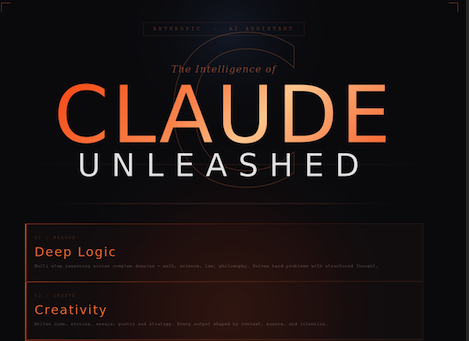
What is Claude AI? A Beginner-Friendly Guide to Your New AI Assistant So what is Claude? Claude is an AI assistant made by Anthropic — a company founded in 2021 by former OpenAI researchers who wanted to build AI that is not just smart, but genuinely safe and honest. Think of Claude as a super-intelligent writing partner, tutor, analyst, and coder — allrolled into one. 2021 Anthropic founded 200K token context window 175+ countries accessible Why is everyone talking? 🔥The Hype is Real Claude can read and summarize entire books, reports, or legal documents in seconds — not paragraphs, whole files. It writes essays, emails, code, scripts, and social posts that actually sound human (not robotic). It pushes back when you’re wrong — most AI just agrees with you. Claude will respectfully disagree. It admits when it doesn’t know something. Rare for AI. Refreshing for humans. Anthropic’s “Constitutional AI” means Claude is trained to be helpful, harmless, and honest — not just impressive. OpenAI vs Claude ChatGPT / OpenAI Massive popularity, great plugins, GPT-4 is powerful, but responses can feel “salesy” and overly complimentary. Sometimes confidently wrong. Monthly limits can frustrate free users. Claude / Anthropic Longer context window, more nuanced reasoning, better at long documents. Feels more like a thoughtful colleague. Prioritises accuracy over approval. Safety is baked in from day one. “I switched to Claude because it actually told me my business plan had a flaw instead of just hyping it up. That honesty saved me from a costly mistake.” — real sentiment from thousands of users online. Is it for kids? 👦Age Guide: Who Can Use It? Ages 10–14 Young LearnersHomework help, storytelling, science projects, coding basics. Claude makes learning fun — not boring. Always age-appropriate. Ages 15–18 Teens & High SchoolEssay writing, debate prep, college apps, creative writing, learning to code. A study partner that never judges. Adults & Pros Everyone ElseBusiness docs, legal summaries, coding, research, marketing copy, therapy-style journaling. The use cases are basically endless. Learn AI with Claude 📚Courses & Resources Anthropic doesn’t sell its own courses, but these officially recommended or widely used platforms teach Claude and AI skills — many for free. DeepLearning.AI — Prompt Engineering with Claude↗learn.deeplearning.aiAnthropic Prompting Guide (Official Docs)↗docs.anthropic.comClaude.ai — Start Using Claude Free Today↗claude.aiCoursera — AI Literacy & Claude-based courses↗coursera.orgUdemy — Claude & AI Tools for Beginners↗udemy.com Governments & Claude 🏛️Why the Government Wants In Claude isn’t just for individuals — Anthropic has signed deals with the U.S. government, intelligence agencies, and major institutions. Here’s why power structures are paying attention. 🔐 The CIA and U.S. Intelligence Community now use a secure, isolated version of Claude to analyze intelligence reports and complex documents without exposing classified data to the open internet. ⚖️ Legal and policy departments use it to draft, summarize, and cross-check long legislation and regulatory documents in minutes — work that used to take teams of lawyers weeks. 🏥 Healthcare agencies use Claude to assist with medical research synthesis, turning hundreds of studies into actionable summaries for faster decisions. 🛡️Defense and cybersecurity teams use AI reasoning to detect patterns in data that humans simply can’t process fast enough on their own. 💰Amazon invested $4 billion into Anthropic. Google put in billions more. When the world’s two largest cloud companies both bet on the same AI — governments notice. Real-world impact – What Is Claude Actually Used For? Business: Writing proposals, answering customer emails, building internal tools, summarizing board reports. Education: Personalized tutoring, lesson plan writing, instant feedback on essays, teaching coding step-by-step. Healthcare: Summarizing clinical research, writing patient-friendly explanations, assisting with admin documentation. Developers: Debugging code, writing full apps from scratch, reviewing pull requests, explaining complex logic. Creatives: Screenwriting, poetry, game design, social media strategy, brainstorming ideas, brand voice. Research: Digesting 200-page PDFs, comparing papers, structuring academic writing, citation help. Ready to try Claude yourself? It’s free to start. No credit card, no fluff. Just intelligence at your fingertips — right now. Start on Claude.ai ↗ Donate Somewhere in remote Africa, a child is dreaming of an education they can’t afford. Every dollar you donate goes directly toward putting books, teachers, and classrooms in front of students who have none. You’ve already given your time reading this — now consider giving a little more to change a child’s future. No amount is too small; donate below and make your generosity count. CASHAPP CashApp Donation $ 5181884036149 Popular PayPal PayPal Donation $ chrisklem30@gmail.com Great Local Transfer African Donation $ Paystack-Titan: 9719443563 Local
AI Literacy for Kids: What Every Child Should Learn Before Age 10
AI Literacy: The New Reading and Writing Your Kids Need Before They Turn 10 AI Literacy: The New Reading and Writing Your Kids Need Before They Turn 10 There was a time when a child who couldn’t read by age 8 was considered behind. Today, we’re heading toward a world where a child who can’t communicate with AI — clearly, critically, and responsibly — will face a similar gap. The question is no longer if your child will use AI. It’s whether they’ll use it well. Picture this: your 9-year-old sits down at a laptop, types a sentence, and — in under three seconds — watches an image spring to life out of thin air. A dragon. On a skateboard. In Lagos traffic. Wearing a dashiki. That’s not magic. That’s a prompt. And the child who typed it just practiced one of the most important skills of the next decade. We’ve spent a lot of time asking “should kids use AI?” We need to start asking a better question: “are we building the foundation they need to use it wisely?” Why Foundation Comes Before Prompting Here’s a trap many parents and educators fall into: they hand a child an AI tool before the child has the mental models to understand what they’re actually doing. The result? The child treats it like Google — or worse, like a vending machine for answers. They take everything it says at face value. They don’t know how to ask better questions. And they miss the entire point. Before a child prompts, they need a foundation in four things. Think of these as the four pillars of AI literacy: Here’s a trap many parents and educators fall into: they hand a child an AI tool before the child has the mental models to understand what they’re actually doing. The result? The child treats it like Google — or worse, like a vending machine for answers. They take everything it says at face value. They don’t know how to ask better questions. And they miss the entire point. Before a child prompts, they need a foundation in four things. Think of these as the four pillars of AI literacy: 🎯 What AI Actually Is AI learns from examples, not from thinking. It doesn’t “know” things the way you do — it predicts patterns. Kids need this mental model first. 🎯 AI Can Be Wrong AI makes things up. Confidently. Teaching kids to verify AI output is like teaching them not to believe everything a stranger says. 🎯 Garbage In, Garbage Out The quality of your prompt determines the quality of your result. Vague instruction = vague output. Precision is a learnable skill. 🎯 AI Reflects Human Bias AI is trained on human-made content — which carries human prejudices. Even kids can begin to spot when an AI result seems unfair or narrow. Once these four ideas are planted — even in simple, age-appropriate ways — a child transforms from a passive consumer of AI output into a thoughtful one. That shift is everything. Learning to Prompt: From Simplest to Strongest Prompting is a skill with levels. You don’t teach a child to write an essay before they learn letters. Same principle applies here. Here’s a clear progression — what I call the Prompt Ladder — that parents and educators can follow: The Noun Prompt — Just Name the Thing Start with the simplest possible instruction. One word or a basic noun phrase. The child sees that AI responds to text. The magic hooks them in immediately. Example prompt: a cat The Describing Prompt — Add Colour and Size Now ask: what does your cat look like? What colour? How big? This is where describing words (adjectives) become exciting tools, not boring grammar. Example prompt a fluffy orange cat sitting on a blue roof The Scene Prompt — Add a World Around It Context makes images richer. What’s happening? Where? What time of day? Children learn that setting and action transform a flat image into a story. Example prompt a fluffy orange cat sitting on a blue roof at sunset, looking at the city below The Style Prompt — Choose How It Looks This is where it gets artistic. Watercolour? Cartoon? Comic book? Pixel art? Kids discover that the same subject looks completely different based on style — and they have total control. Example prompt a fluffy orange cat on a blue Lagos rooftop at sunset, cartoon style, bright colours, children’s book illustration Start Here: The Best First App for Young Prompters Before we get to the showstopper tool (spoiler: it’s Leonardo), there are two gateway apps worth having on your radar for younger children just getting started: Google’s Quick Draw (Ages 5+, Free) This is AI in its most playful form. Kids draw a simple picture and an AI tries to guess what it is. It teaches the single most important concept in AI literacy — that machines recognise patterns, not meaning — in about 20 seconds. And children find it hilarious when it’s wrong. Khan Academy’s Khanmigo (Ages 7+, Free) An AI tutor that answers questions but doesn’t just hand over answers. It asks follow-up questions, adjusts to the child’s level, and models what a good prompt-response loop looks like. Excellent for building conversational AI literacy. Once your child understands the loop — type something, see something, improve it, try again — they’re ready for the real playground. The Magic Tool: Leonardo.AI and the Joy of Text-to-Image Leonardo.AI — Where Words Become Worlds Leonardo is a browser-based AI art generator that turns text descriptions into stunning images. No downloads, no Discord setup needed — and it has become one of the most popular creative AI platforms in the world, recently acquired by Canva. AccessBrowser-based, no install needed Free Tier150 tokens per day Content SafetyNSFW blocked by default Age RuleParent account, supervised use Real Prompts to Try With Your Child on Leonardo Here’s a progression from beginner to advanced that turns a session into a creative journey: Beginnera lion
AI for Kids: The New Literacy Every Child Needs Before Age 10
Phoenix Coding Competition AI APP FOR KIDS – The AI Apps That Are Transforming Learning for Kids! Are you ready to talk about something really exciting? We all know that technology is a huge part of our kids’ world, but what if I told you that the latest tech—Artificial Intelligence (AI)—is less about doom and gloom and more about digital superpowers? Forget the robots taking over! The new wave of AI apps for kids is here to act as a brilliant, patient tutor, a creative sidekick, and a personalized learning coach rolled into one. It’s about making learning so fun, they won’t even realize they’re doing homework. Ready to dive into the best AI tools that are making a real difference in education right now? Let’s go! Why AI is Your Child’s New Best Study Buddy Before we get to the cool apps, let’s nail down why AI is such a game-changer for young learners. It’s not just a fancy calculator; it’s personalized learning on steroids. Customized Pace: Traditional classes move at one speed. AI apps adapt. If your child is struggling with fractions, the app provides more fun practice until it clicks. If they’re zooming through algebra, it pushes them to the next level. No more boredom or frustration! The Power of the Guide: The best AI tools don’t just give answers. They use Socratic dialogue—asking guiding questions to help your child discover the solution themselves. This builds critical thinking, not just memorization. Safety First: Top platforms designed for children, like the ones mentioned below, are built with strict safety guidelines (think COPPA-compliance). They have layers of moderation to ensure content is age-appropriate and private. 5 AI Apps That Are Kid-Approved and Parent-Trusted Here are five stand-out tools, categorized by what they do best, to help you find the perfect fit for your little genius: 1. For the Future Coder and AI Literacy Guru LittleLit AI What it is: This is an all-in-one platform focused on teaching children (ages 6-16) the fundamentals of AI itself. Think of it as an AI operating system for students. Why it’s cool: It features an 80-module curriculum to teach ethical AI, AI lifeskills, and AI literacy through gamified challenges. Plus, its AI Tutors are personalized for K-12 students, covering everything from Math to ESL. It’s safe, comprehensive, and prepares them for a tech-driven future. Find it here: https://www.littlelit.ai/ 2. For the Visual Thinker and Creative Storyteller DALL-E & Image Creators (with Supervision) What it is: An AI image generator where kids can type a descriptive sentence (a “prompt”) and watch the AI instantly create a unique image. Why it’s cool: This sparks visual literacy and creative prompt design. Imagine having your child illustrate their school report or bedtime story just by describing what they see in their head! Tools like Bing Image Creator offer a very accessible, easy entry point for first-time AI experiences. Find it here: https://www.dall-efree.com/ 3. For the Language Learner Duolingo What it is: A widely known language-learning app, but its AI is constantly working behind the scenes. Why it’s cool: The AI adapts the difficulty in real-time. It notices the words or grammar structures your child keeps forgetting and loops them back in fresh, fun ways. It makes language learning feel like a game, ensuring they get the right amount of repetition without getting bored. Find it here: Duolingo.com 4. For the Homework Helper That Won’t Just Give the Answer Khanmigo (from Khan Academy) What it is: The AI-powered personal tutor and teaching assistant from the non-profit Khan Academy. Why it’s cool: Unlike other chatbots, Khanmigo is designed to guide, not cheat. If your child asks for the answer to a math problem, the AI gently nudges them with questions or hints until they work it out themselves. It’s built on a massive library of educational content for grades K-12 and beyond. Find it here: https://www.khanmigo.ai/ 5. For the Curious Kid Who Asks “Why?” All the Time Socratic by Google What it is: A free, visual learning app designed to help students understand complex concepts in subjects like math, science, and humanities. Why it’s cool: Your child can literally snap a photo of a homework question or math problem, and the AI uses image recognition to provide step-by-step explanations, clear visuals, and links to related concepts. It visually breaks down a tough problem into manageable parts. Find it here: Socratic Your Next Steps: A Quick AI Checklist Starting the AI journey can feel big, but it doesn’t have to be! Here is a simple plan: Identify the Need: What subject or skill do they need the most help with? (Coding, reading, math, creative writing?) Start Small: Choose one app from the list above that matches your need. Use it Together: For the first few sessions, sit with your child. Learn how the AI works, set ground rules for usage, and get excited about the “magic” it can create! Embracing AI isn’t about giving up on traditional learning; it’s about supercharging it. These tools are the future of education, and giving your kids access now is the best way to prepare them for success later. Other Links All Posts AlgoMind Blog Events Lagos NeurAgency News Nigeria phoenix coding competition technology Zares Back Tech Emerging Technology ict Emerging technology 11 Smart AI Apps That Are Helping Children With Their Assignments Around the World July 12, 2025/2 Comments 11 Smart AI Apps That Are Helping Children With Their Assignments Around the World 11 Smart AI Apps That Are… Read More 31 Companies Transitioning to AI in 2025: Free Tools and Features to Explore July 6, 2025/2 Comments 31 Companies Transitioning to AI In 2025 31 Companies Transitioning to AI in 2025: Free Tools and Features to Explore… Read More Phoenix Coding Competition July 3, 2025/4 Comments Are you Ready, Set, To Compete? It’s a beautiful time of the year to call all young coders from primary… Read More What is Dark Mode, Why It’s Important, and How Top Companies Use It September 30, 2024/No Comments Dark
meta ai free tier features and limits 2025
Meta AI Free Tier in 2025 Meta AI Free Tier in 2025 Meta AI has solidified its position as one of the most accessible AI assistants in the world, primarily because it’s built directly into the apps nearly 4 billion people use daily: Facebook, Instagram, WhatsApp, and Messenger. By 2025, the core experience is designed to be always free, powered by the advanced Llama 3.2 model. This is excellent news for the average user, but as Meta rolls out its Meta AI+ subscription, it’s crucial to understand where the free tier shines and when you might hit a boundary. Here is a breakdown of the Meta AI free tier’s features and its limitations in 2025. Free Tier Features: Full Integration & Everyday AI The power of the Meta AI free tier lies in its seamless, friction-free integration across the Meta ecosystem. It requires no separate sign-up or payment—just your existing Meta account. Feature Description Availability 💬 Core Conversational AI Unlimited chatting, Q&A, translation, and text summarization. WhatsApp, Messenger, Instagram DMs, Facebook 🖼️ Standard Image Generation Generate images from text prompts (text-to-image) for posts or chats. Integrated into chats and post creation tools 🌐 Real-Time Web Grounding Access to up-to-date answers and information sourced from search partners like Bing. All chat interfaces 🧠 Base AI Model Powered by Llama 3.2, a general-purpose language model. All free access points 🔎 Enhanced Search Assists with topic discovery, answering queries directly in the Facebook search bar, and post writing. Facebook Feed & Search 🗣️ Basic Voice Interaction Interact with the AI using your voice for convenience. Meta AI app and Ray-Ban Meta glasses Limitation Of the Free Tier – (Where the Premium Models Step In) While the free access is comprehensive, Meta is positioning its paid tier, Meta AI+, for power users, content creators, and professionals. The limitations are designed to encourage upgrades for those with heavy-duty workflow needs. 1. Context and Reasoning Depth The most significant difference lies in the model and its memory capacity. Limit Category Free Tier (Llama 3.2) Upgrade/Premium Tier (Llama 3.3+) Context Window $sim 32,000$ tokens Up to $128,000$ tokens Reasoning Model Standard Llama 3.2 Llama 3.3 or Llama 3.3 High-Context (Enhanced reasoning) The Constraint: $32,000$ tokens is sufficient for a long chat, but the AI may “forget” details from a very long conversation or struggle to process huge blocks of text, like a multi-chapter document. The Upgrade: Premium models offer a significantly larger context window, enabling the AI to handle long-form reasoning, complex project-based work, and deep document analysis. 2. File and Document Handling The free tier is primarily conversation and image-focused, not document-focused. The Constraint: You cannot upload or analyze full documents such as PDFs, Word files, or large datasets. Only small images/screenshots (typically under $5$ MB) can be used as input. The Upgrade: The Meta AI+ trial/subscription will support uploads of full documents up to $50$ MB for analysis, summary, and Q&A. 3. Performance and Priority Usage during peak hours may see a difference in speed and reliability. The Constraint: Response speed is “Standard.” During high-traffic periods (like US business hours), you may experience slightly slower response times or capacity limits. The Upgrade: Premium users are expected to receive faster/priority inference (quicker responses) and priority access during periods of peak demand. 4. Advanced/Professional Features The free version is a consumer-grade tool, lacking professional workflow integrations. The Constraint: There is no API access for custom automation, and you won’t get access to advanced features like cross-platform content scheduling agents or higher-resolution image generation. The Upgrade: Meta AI+ is testing features like early access to scheduling agents for content creators and advanced brand tools for businesses. Would you like to stick with the free tier or opt for the Meta AI+? Other Links 11 Smart AI Apps That Are Helping Children With Their Assignments Around the World July 12, 2025 | by admin 11 Smart AI Apps That Are Helping Children With Their Assignments Around the World 11 Smart AI Apps That Are… Read More → 31 Companies Transitioning to AI in 2025: Free Tools and Features to Explore July 6, 2025 | by admin 31 Companies Transitioning to AI In 2025 31 Companies Transitioning to AI in 2025: Free Tools and Features to Explore… Read More → AI app for kids November 17, 2025 | by admin Phoenix Coding Competition AI APP FOR KIDS – The AI Apps That Are Transforming Learning for Kids! Are you ready… Read More → Donate Somewhere in remote Africa, a child is dreaming of an education they can’t afford. Every dollar you donate goes directly toward putting books, teachers, and classrooms in front of students who have none. You’ve already given your time reading this — now consider giving a little more to change a child’s future. No amount is too small; donate below and make your generosity count. CASHAPP CashApp Donation $ 5181884036149 Popular PayPal PayPal Donation $ chrisklem30@gmail.com Great Local Transfer African Donation $ Paystack-Titan: 9719443563 Local